GuidesYour sales agent
Set up your sales agent
Choose its name and tone, how it handles prices, and what it passes to you.
6 min read · Updated 8 November 2026
Your sales agent answers buyers in your store’s chat, day and night. It works from your catalog, prices, stock and delivery rules, never from a guess. Open Sales agent in the left menu. It has six tabs: Chats, Settings, Knowledge, Channels, Results and Try it.
What it will and will not do
- It quotes prices, stock and delivery fees from your store, and looks them up again when asked.
- It takes the customer from first question to a payment link, and confirms payment only when the payment provider says so.
- It does not accept a screenshot or a message as proof of payment, and it ignores instructions in chats that try to change its rules.
- When it is unsure, or the topic is one you reserved, it hands the chat to you and tells the buyer so.
Settings
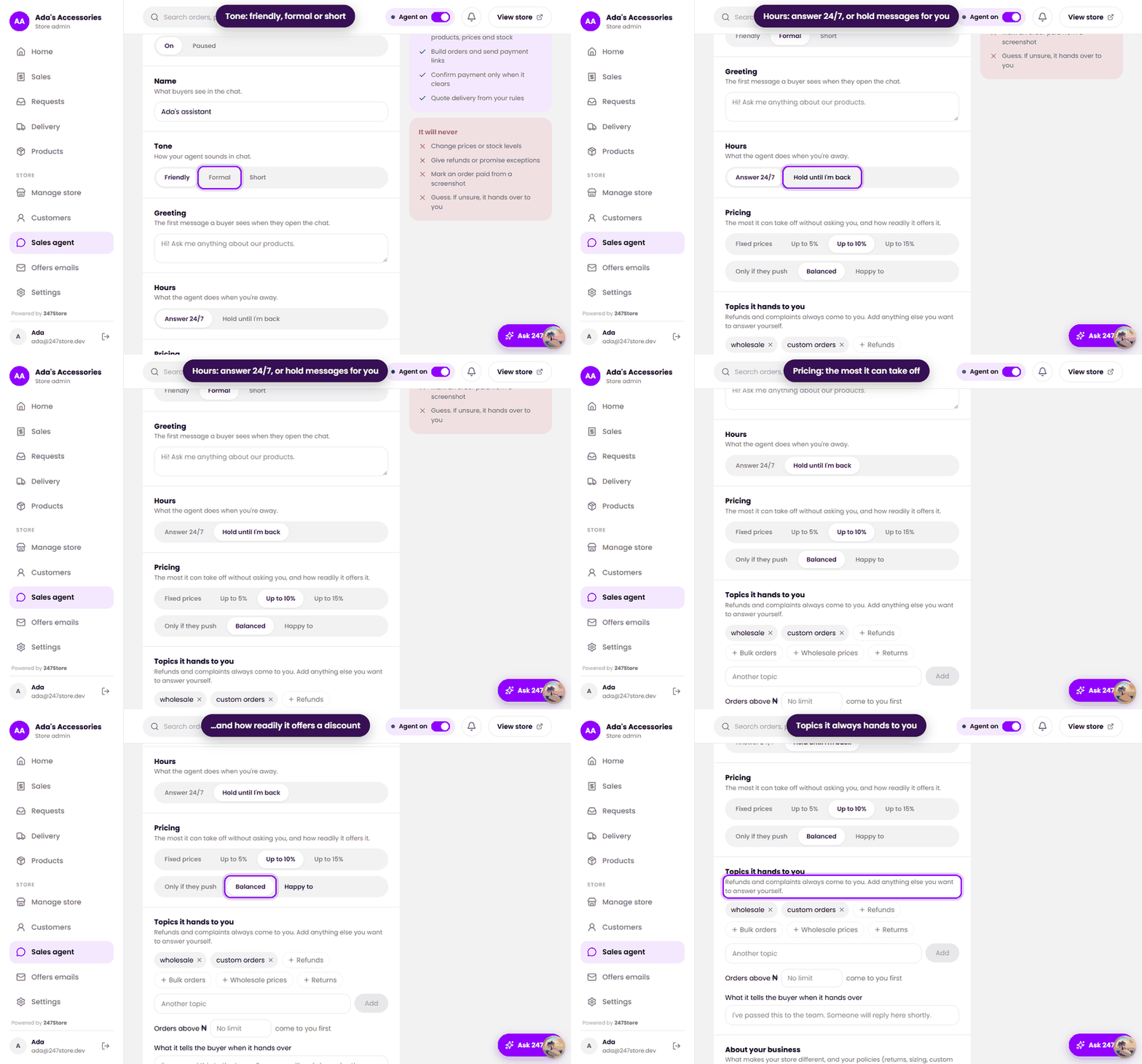
- Replying to buyers. On answers buyers. Paused holds messages for you in Chats.
- Name is what buyers see in the chat. Greeting is the first message they see.
- Tone. Friendly, Formal or Short.
- Hours. Answer 24/7, or Hold until I'm back to keep messages for you while you are away.
- Pricing. The most the agent may take off without asking you: Fixed prices, or Up to 5%, 10% or 15%. Choose how readily it offers a discount: Only if they push, Balanced or Happy to. Set each product’s lowest accepted price in the product form.
- Topics it hands to you. Refunds and complaints always come to you. Add others, such as wholesale, custom orders, returns or bulk orders.
- Orders above an amount you choose come to you first.
- What it tells the buyer when it hands over, and About your business, a few lines the agent can use to describe you.
Knowledge
Knowledge is for answers you want given word for word, such as your returns policy, where you deliver, or how to pay. Press Add an answer, write the question and the answer. Anything the agent does not know it hands to you, and your replies can come back here as suggestions.
Try it and Results
Try it is a private test chat. Write as a buyer would. It uses your real products and settings, and buyers never see it, so test before you share your link. Results shows, over 7 or 30 days, how many chats there were, how many the agent answered alone, orders and sales it brought in, and why chats were handed to you.
Read next
Still stuck? Write to support.