GuidesYour sales agent
Read chats and take over
See every conversation, step in when it matters, and hand it back to the agent.
3 min read · Updated 8 November 2026
The Chats tab on Sales agent is your inbox for every conversation, on your store and on any channel you connect. Each chat shows the products being discussed, the buyer’s orders and any requests they raised.
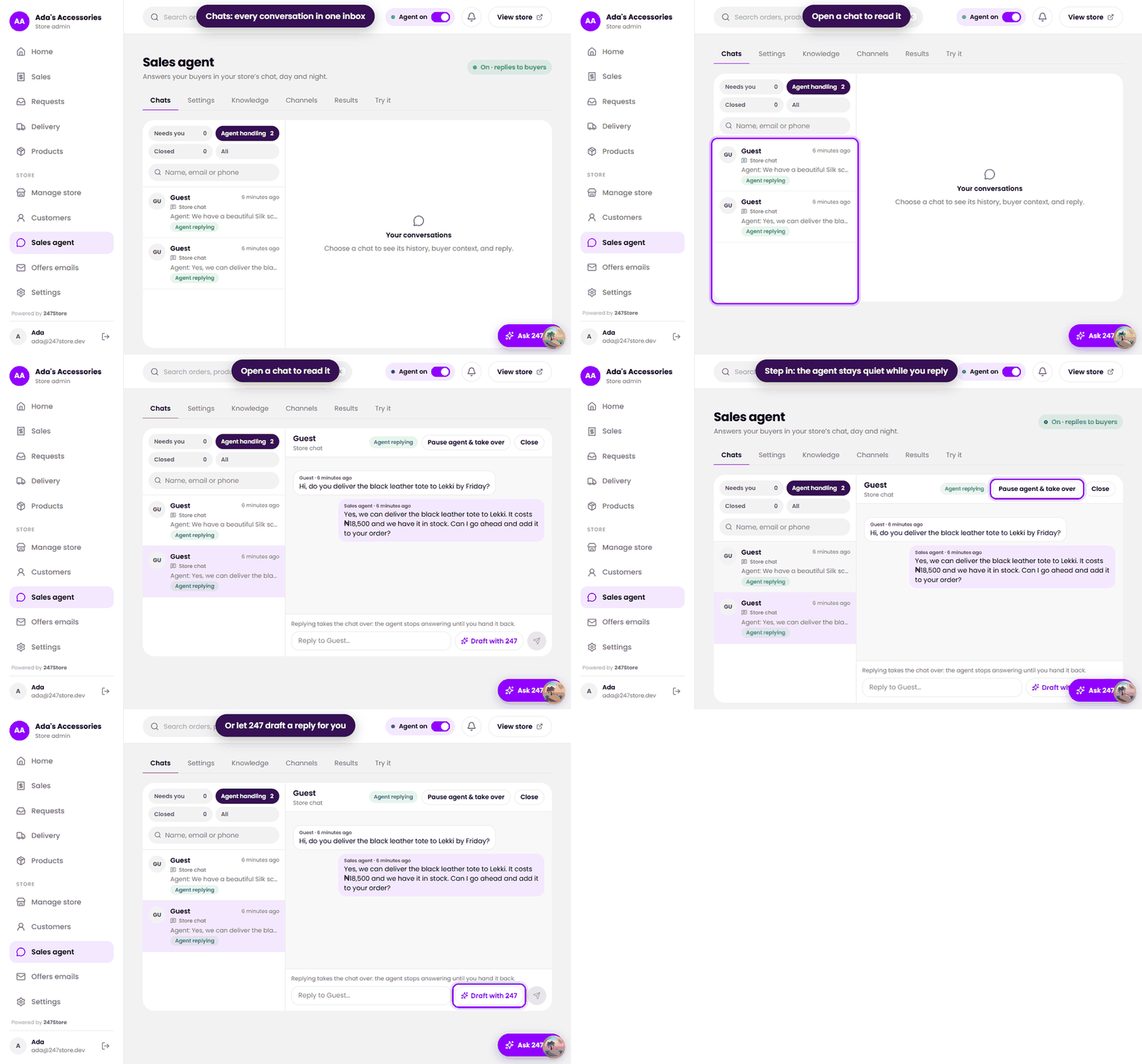
Find what needs you
- Needs you lists chats the agent handed over or could not finish.
- Agent handling lists chats the agent is dealing with alone.
- Closed lists finished chats.
- Use the search box to find a buyer or a product.
Take a chat over
- Open the chat. You see the whole conversation and the products the buyer asked about.
- Press Pause agent & take over, or just type a reply and send it. Replying takes the chat over too.
- From that moment the agent stays quiet on that chat. The buyer’s next messages wait for you.
- When you are done, hand the chat back so the agent answers again. Close finishes a chat for good.
Replies go out on the channel the chat is on. On Telegram there is no time limit. On WhatsApp you can reply freely for 24 hours after the buyer’s last message.
Read next
- Set up your sales agentChoose its name and tone, how it handles prices, and what it passes to you.
- Handle buyer cases and refundsWhat to do when a buyer reports a problem, and how deadlines and refunds work.
- Connect TelegramLet customers message a Telegram bot of your own, answered by your sales agent.
Still stuck? Write to support.